About your website
We’ve built you a custom child theme to implement your websites design and functionalities. This child theme has been built on top of the ‘parent theme’ called ‘Divi’. You will therefore see the name ‘Divi’ used across the backend of the site.
The theme allows you to either edit content within the backend of the website, or you can use the ‘visual builder’ to edit the content directly on the webpage.

Need support?
For urgent support call our main office on: 01865 688 308 (open Monday to Friday 9am-5:30pm)
For support outside of these hours or for non-urgent support requests please email: support@weareherd.co.uk
The basics
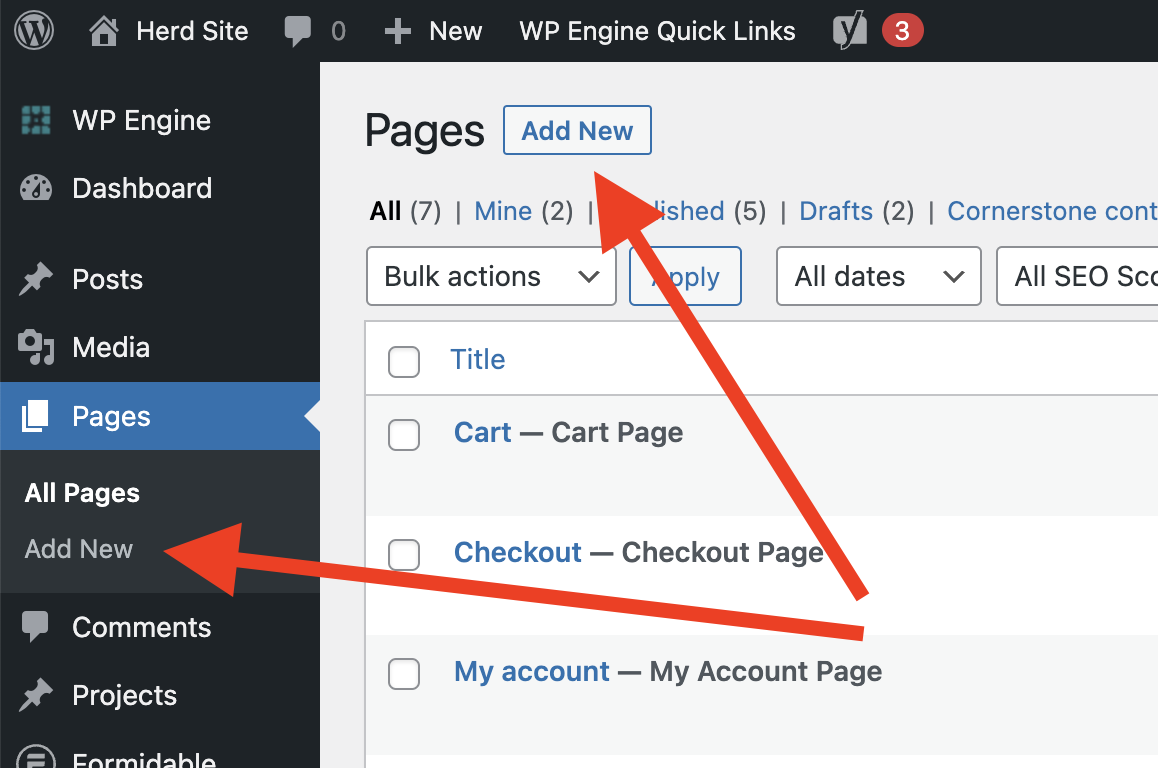
Creating pages (or posts) – You can create as many pages as needed. Pages can be published, or can stay as draft so that you can work on them without the public seeing them. Pages and posts can be set to publish in the future.
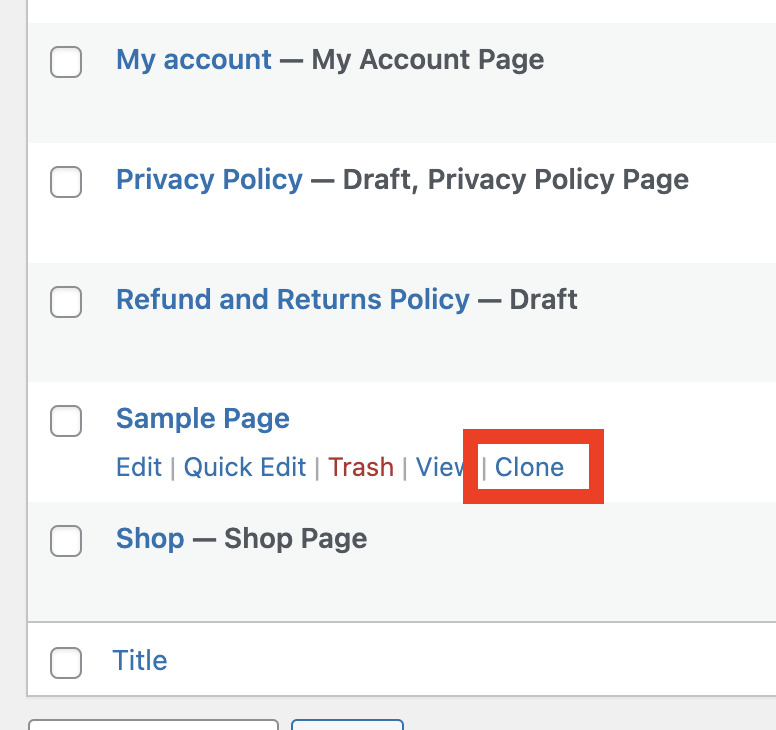
Rather than starting from scratch it might be best to clone an existing page and then edit the content to create you new page. Hovering over a page title will reveal the option to clone that page:
Editing pages – There are 2 main ways to edit a page. Either navigate to the page within the backend of WordPress (and click on the page title) OR when logged in go to the page on the front of the website and enable the visual builder.
Both methods use the Divi builder to edit the page content – but most people prefer to use the visual builder as it’s easier to see what you are editing.
Details on how to use the Divi builder are included below.
Editing the menus – Your website likely uses a couple of different menus. From time to time you may need to edit these:
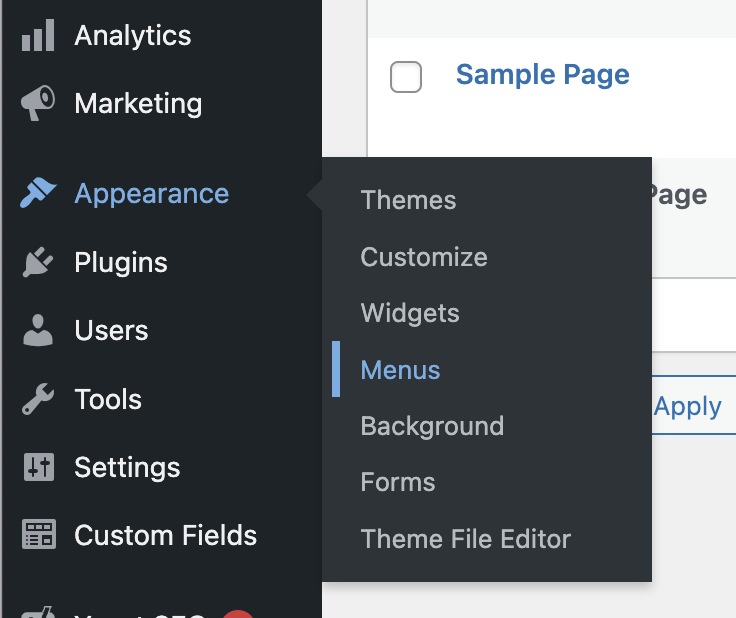
Once in the menu interface simply select the menu you would like to edit and then use the drag and drop interface to change the menu items.
User guide
Your website uses tools and software provided through the WordPress Ecosystem. Below are a set of links where you can find information on how to use these tools:
Divi
To edit or create pages within the website you will most likely need to use Divi to do so. Here are some useful links that may help you:
Getting Started With The Divi Builder – A good overview showing you how to use the Divi builder, great for if you are looking to edit or create new pages.
Using The Divi Theme Options – This is slightly advanced. The Divi theme options allow you to changes some of the global settings for the site.
Using The Divi Theme & Module Customizer – This is also slightly advanced.
The Divi Library – The Divi Library is a great resource. It allows you to save layouts to this library and then use them elsewhere on the site. We have most likely already saved several layouts to the library.
The Divi Theme Builder – This is where you can edit templates that are used across the site. Anything from the websites footer – right up to entire page templates.
Using Divi’s Right Click Controls – This is slightly advanced, but if you are making big changes to pages the ‘Right Click Controls’ give you access to time saving tools, such as copy/paste.